PrecisionCalc
xl
Precision
Get Your Numbers Right
Download xlPrecision 3.1 Free Edition
Download xlPrecision for Excel 97, 2000, 2002/XP, 2003, 2007, 2010, 2013, 2016, and later
This link will download xlPrecision_3.1b.zip. Once you've downloaded it, go to your Downloads folder and double-click on that file. Inside it you'll see xlPrecision_3.1b.exe, with an icon that looks like the one in the picture below. Although it will run from there, to run it properly you'll need to move it outside the ZIP file to a real folder. To do that, right-click xlPrecision_3.1b.exe, choose Cut, navigate to your Downloads folder (or any other real folder), and Paste. Then proceed with the steps below:
Important:
On Windows NT, 2000, XP, Vista, 7, 8, & 10 you must be logged in as an Administrator
during installation.
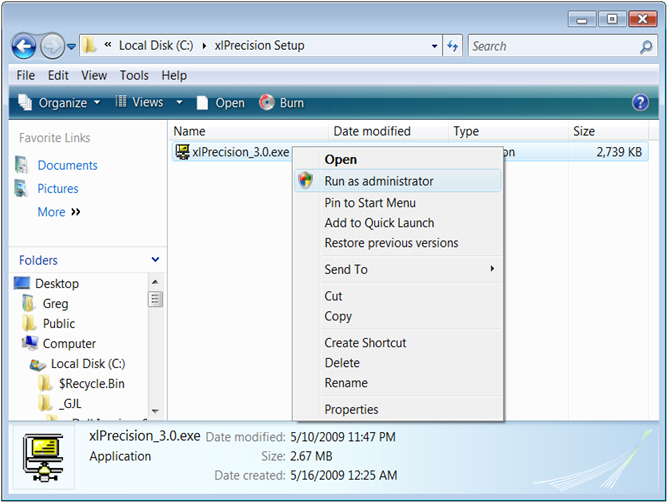
Start Setup by right-clicking xlPrecision.exe and choosing "Run as administrator":
After installation, you no longer need to be logged in as an Administrator.
After installing xlPrecision, restart Excel.
Then, to verify that xlPrecision is installed and working properly, enter this formula in any spreadsheet cell:
=xlpTEST()
It should return a welcome message with your name and the xlPrecision version. If xlpTEST() instead returns the "#NAME!" error, the most likely problem is that your Windows configuration simply did not allow the setup program to register xlPrecision as an add-in in Excel. No problem, it's easy to just do that manually:
Steps to manually register xlPrecision as an add-in in Excel:
In Excel 2010, 2013, and 2016:
- File > Options > Add-ins > Go (button). That should bring up the Add-ins dialog.
- In the Add-ins dialog, click Browse, and browse to xlPrecision.xla. Then click OK, and xlPrecision should be listed there in the Add-ins dialog and checked.
- Then click OK to get back to Excel. xlpTEST() should work then, but if not try restarting Excel.
In Excel 2007, the steps are the same as above except that instead of File > Options, it's:
- Office Button > Excel Options (button)
In Excel 2003 and earlier, the steps are the same as above except that instead of File > Options > Add-ins > Go (button), it's just:
- Tools > Add-ins
If those steps don't fix the problem, you may wish to try installing again, or see the Troubleshooting FAQ, or email for help.
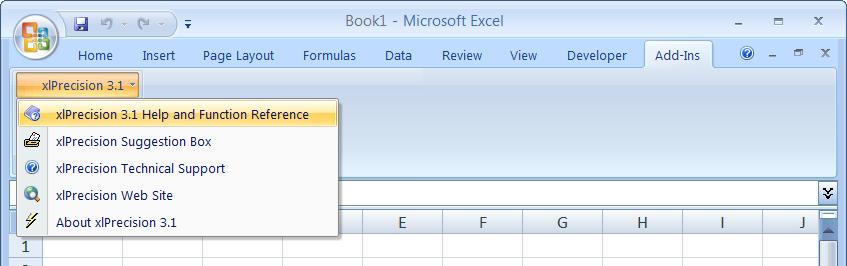
Once you've gotten xlpTEST() working, find the xlPrecision online help by choosing Add-Ins > xlPrecision 3.1 > xlPrecision 3.1 Help and Function Reference:
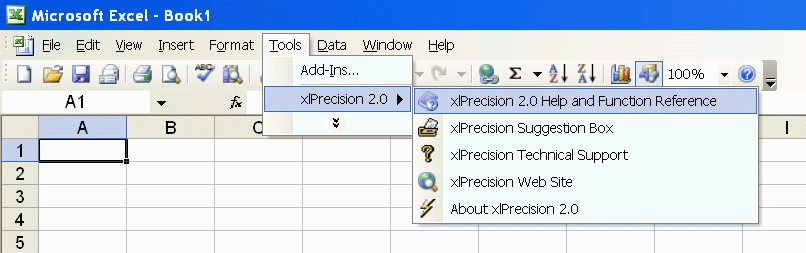
In Excel 2003 and earlier, xlPrecision's online help is in Tools > xlPrecision 3.1 > xlPrecision 3.1 Help and Function Reference: